
 LIVE THEME
Zeytin Bahçesi
A vivid invitation experience that tells your special day with elegant detail, on every screen.
Davetive
Browse 20 designs with different opening sequences, typography and page layouts. Preview opens the live design; the purchase link connects you with Davetive for service details.
Available fields depend on your theme. The dashboard shows only the controls supported by your chosen design.
LIVE THEMEA vivid invitation experience that tells your special day with elegant detail, on every screen.
 LIVE THEME
A vivid invitation experience that tells your special day with elegant detail, on every screen.
 LIVE THEME
A vivid invitation experience that tells your special day with elegant detail, on every screen.
 LIVE THEME
A vivid invitation experience that tells your special day with elegant detail, on every screen.
 LIVE THEME
A vivid invitation experience that tells your special day with elegant detail, on every screen.
 LIVE THEME
A vivid invitation experience that tells your special day with elegant detail, on every screen.
 LIVE THEME
A vivid invitation experience that tells your special day with elegant detail, on every screen.
 LIVE THEME
A vivid invitation experience that tells your special day with elegant detail, on every screen.
 LIVE THEME
A vivid invitation experience that tells your special day with elegant detail, on every screen.
 LIVE THEME
A vivid invitation experience that tells your special day with elegant detail, on every screen.
 LIVE THEME
A vivid invitation experience that tells your special day with elegant detail, on every screen.
 LIVE THEME
A vivid invitation experience that tells your special day with elegant detail, on every screen.
 LIVE THEME
A vivid invitation experience that tells your special day with elegant detail, on every screen.
 LIVE THEME
A vivid invitation experience that tells your special day with elegant detail, on every screen.
 LIVE THEME
A vivid invitation experience that tells your special day with elegant detail, on every screen.
 LIVE THEME
A vivid invitation experience that tells your special day with elegant detail, on every screen.
 LIVE THEME
A vivid invitation experience that tells your special day with elegant detail, on every screen.
 LIVE THEME
A vivid invitation experience that tells your special day with elegant detail, on every screen.
 LIVE THEME
A vivid invitation experience that tells your special day with elegant detail, on every screen.
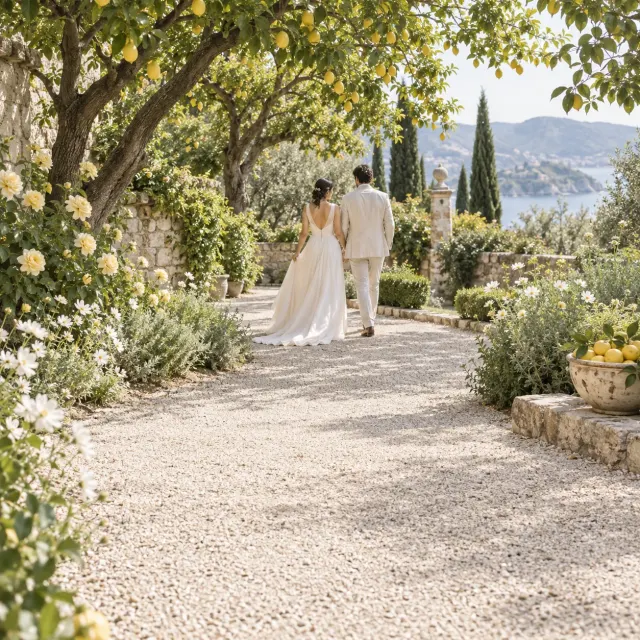 LIVE THEME
A vivid invitation experience that tells your special day with elegant detail, on every screen.
THE DAVETIVE EXPERIENCE
Check that names, dates and directions are easy to find on a small screen. A quiet design suits a short invitation; a story or gallery section can make space for a more personal introduction.
THE DAVETIVE EXPERIENCE
Preview names and photographs illustrate the design. Replace supported fields with your own content in the dashboard. Changing themes retains saved data even when the new design cannot display every field.
Yes. The live preview offers desktop, tablet and mobile views.
Contact Davetive through your chosen theme to confirm the purchase scope and account setup.
You can compare live previews before purchase; switching themes after your account is created requires contacting Davetive.
No, themes are built to work across every screen; phone, tablet and desktop show the same invitation experience.
Yes, once a theme is selected you edit names, dates, text and supported images from the customer dashboard.

Understand the difference between an image invitation and an interactive event page, what details to prepare and when to offer an offline alternative.
Read the guide →
Gather wedding details, separate ceremony and reception information, choose a suitable design and check the guest experience before sending.
Read the guide →